
fixin — iOS v1.4.3 · Sapphire 4.3 engine

From photo to fix
in under a minute.

With fixin, even more power is at your fingertips. Snap a photo, get a diagnosis, and walk away knowing exactly how to fix it — or have a pro handle it for you.

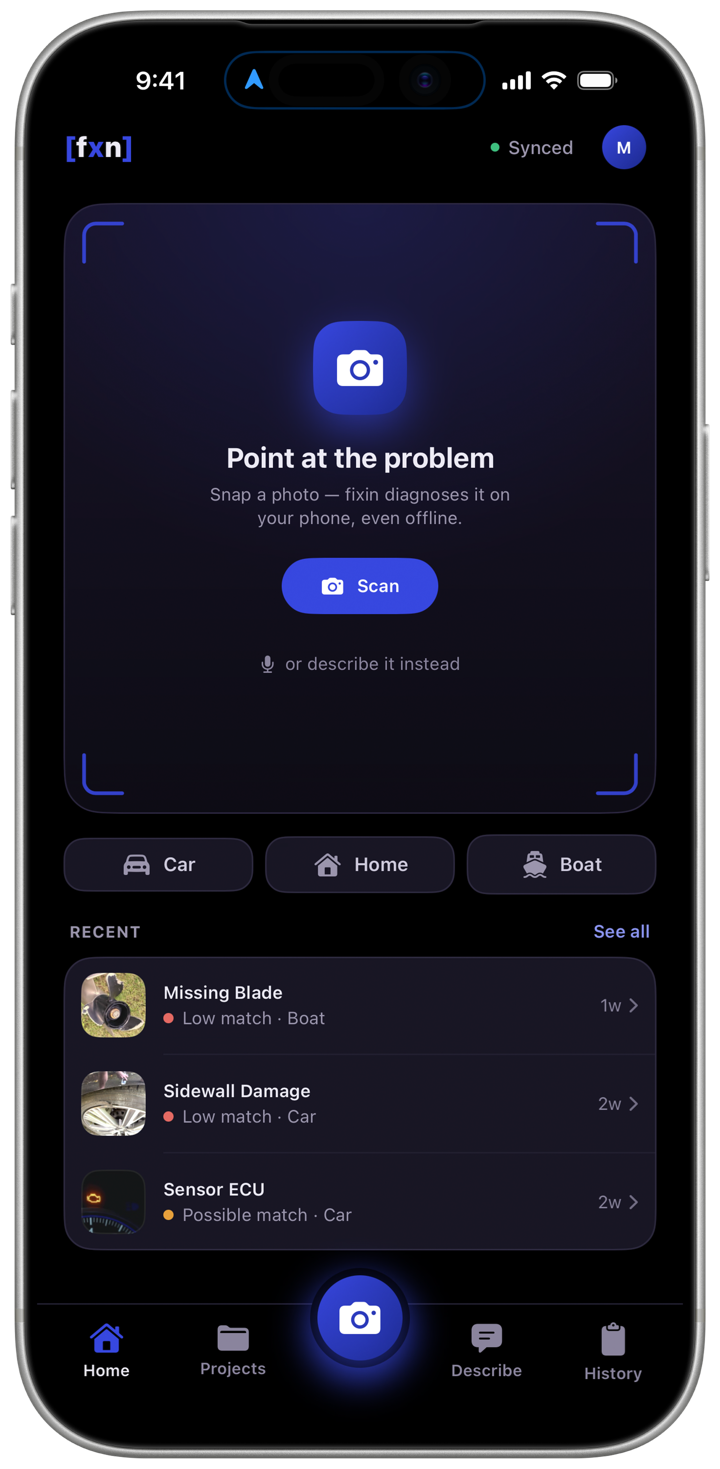
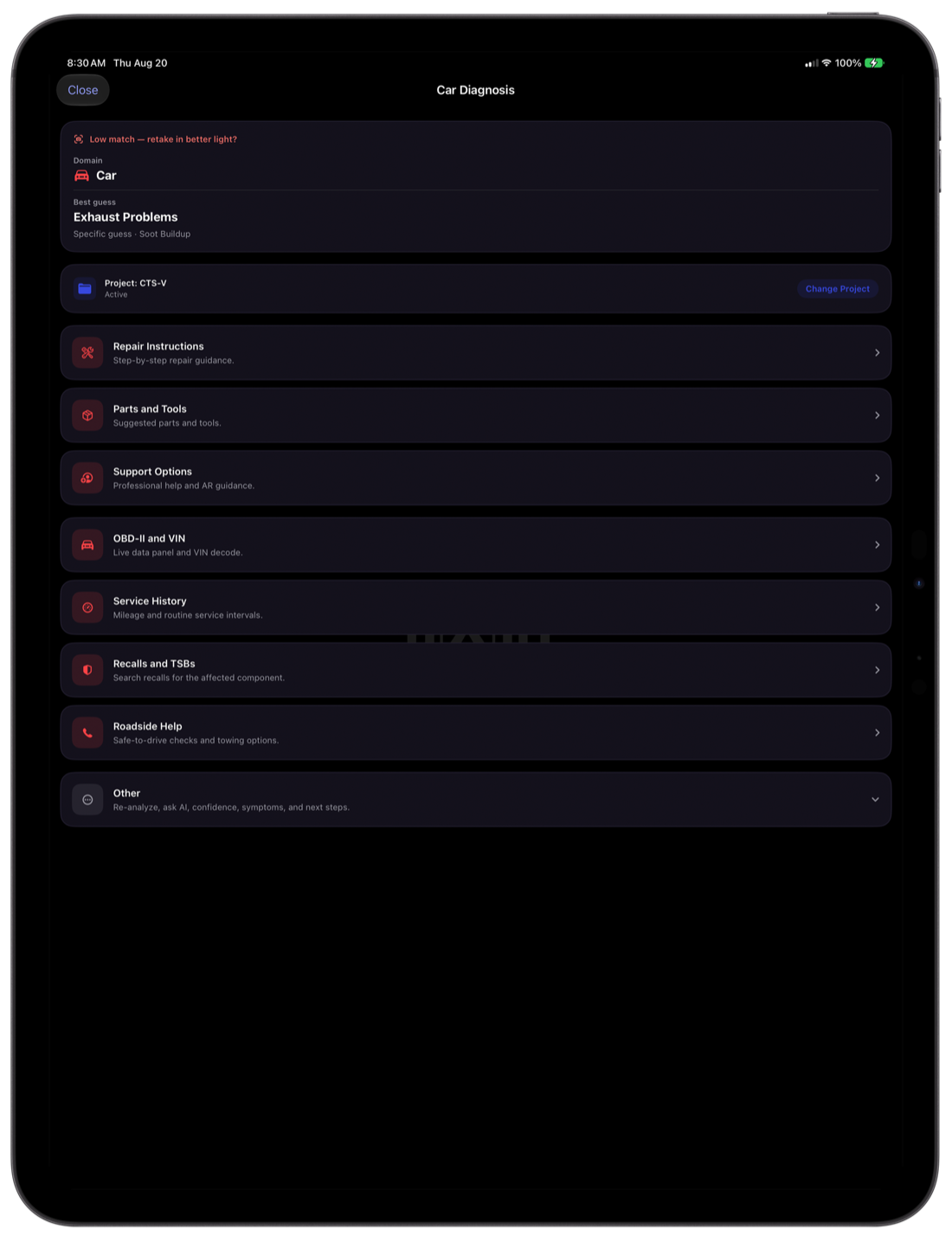
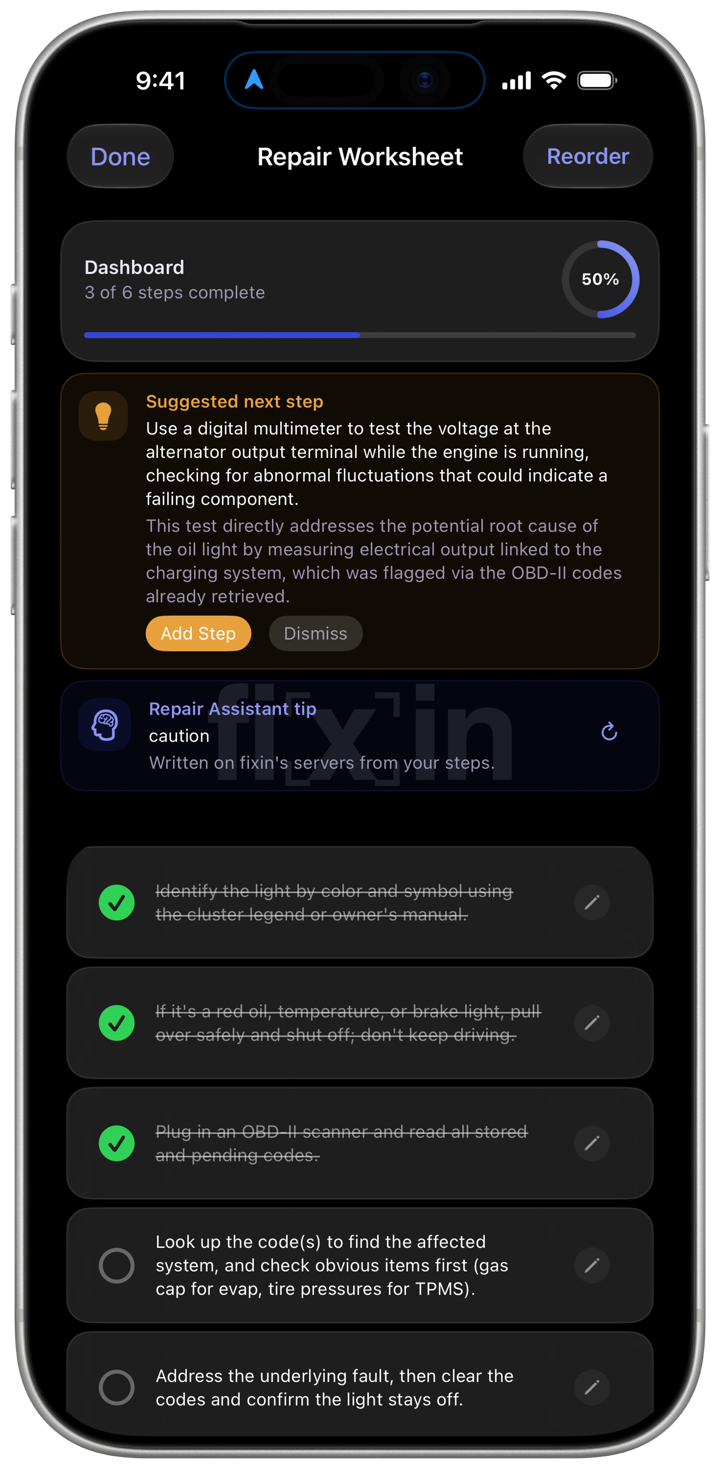
fixin on iPhone — the viewfinder home screen fixin on iPad Pro — a completed diagnosis with its repair instructions fixin on iPhone — a repair worksheet part-way through a job

No matter the platform, fixin works with you.

All on your device.

Unbelievable power, processed entirely on-device. No servers. No internet required. Simply take a photo and fixin diagnoses the problem and walks you through how to fix it.

Bespoke step-by-step guidance.

Get repair instructions tailored to your exact situation — not generic walkthroughs. The more you use fixin, the more personalized your guidance becomes.

Privacy by design.

User data privacy is at the forefront of everything we build. You have absolute control over what gets uploaded and what's done with your data. Always.

Sapphire today. Ruby still there.

Every generation of fixin's on-device intelligence carries a gem name. When the gem changes, the entire engine has been retrained — so you always know exactly how capable your fixin is.

Still selectable
Ruby 3.9

The generation before Sapphire — a hierarchy of MobileViTv2 vision models that diagnoses car, boat, and home problems without ever leaving your device. Still there in the engine picker.

  • 100+ specialist classifiers across car, boat & home
  • Hierarchical MobileViTv2-100 vision stack
  • 100% on-device — your photos stay on your phone
In fixin today
Sapphire 4.3

The engine behind fixin today. Every diagnosis model rebuilt from the ground up and retrained again since — running its own Vision Transformer trunk alongside the classifier cascade.

  • Every classifier retrained on expanded data
  • Sharper accuracy & broader repair coverage
  • Same absolute privacy — zero cloud required
In-app screenshots

See it in action.

fixin home screen — a viewfinder reading "Point at the problem" above a Scan button, with recent diagnoses below

Home

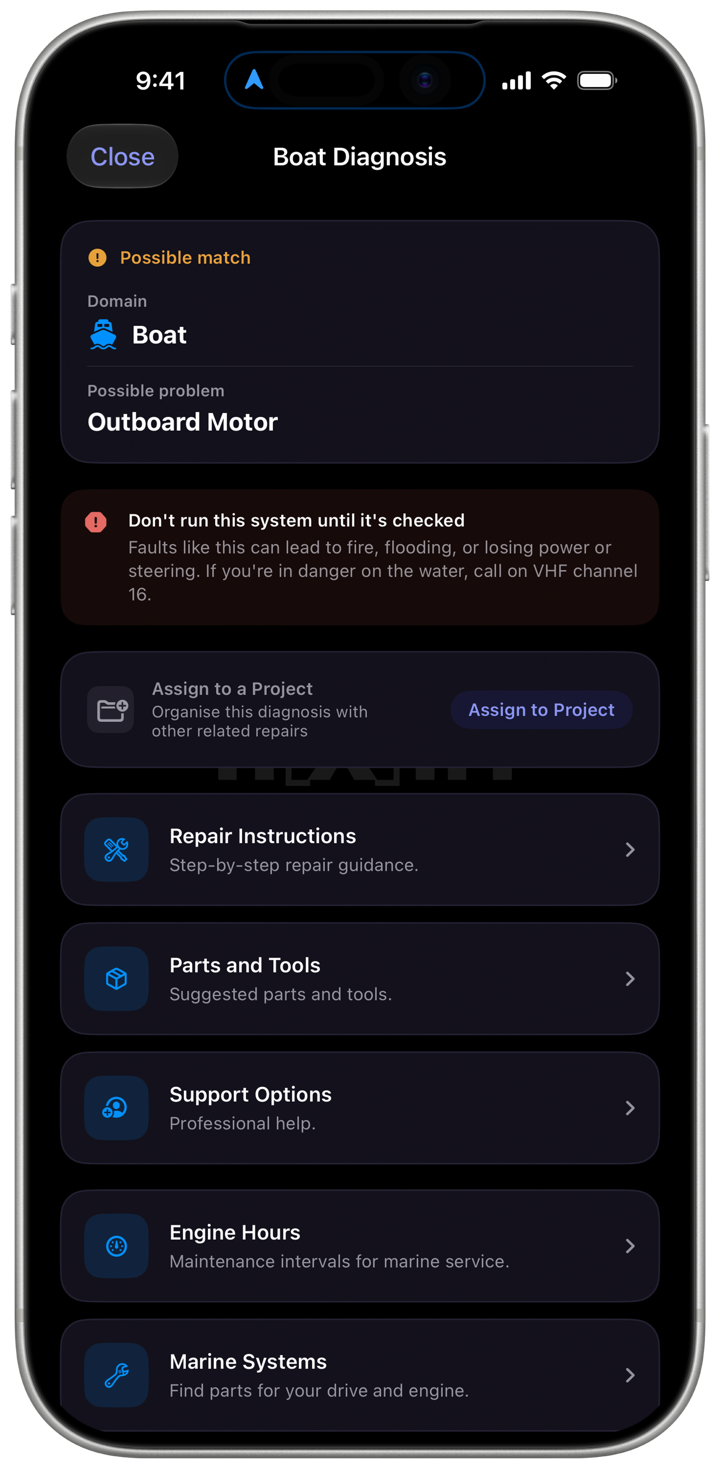
A boat diagnosis naming Marine Electronics, with repair instructions, parts and tools, engine hours and marine systems below it

Marine Diagnosis

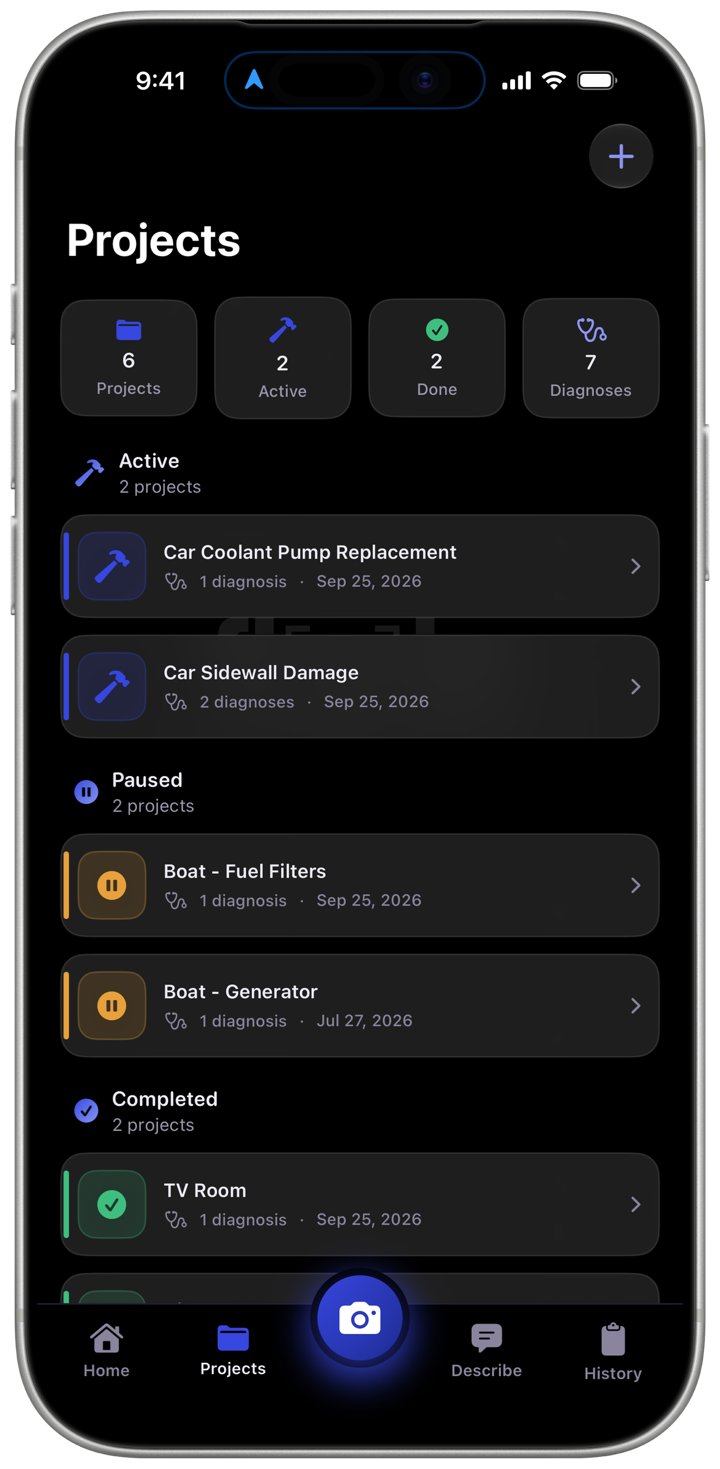
The Projects screen, grouping repairs into active, paused and completed projects

Projects

A repair worksheet part-way through a job, with a suggested next step and completion progress

Repair Worksheet

Four steps, every repair.

01

Capture and analyze a photo

Photograph the problem. The Sapphire 4.3 engine classifies it on your device — no upload, no signal needed.

02

Receive your diagnosis

The system at fault and the specific issue — reported as a strong, possible or low match rather than a bare percentage — with severity attached.

03

Generate the instructions

A procedure written for that fault — safety actions first, then steps, parts, and tools.

04

Execute the repair, then follow up

Work through it with the guide open, keep the record, or hand the job to a pro through hirin.

See how it works →

A new engine, and a guide for your exact fault.

Sapphire 4.3 arrives.

A full retrain that reads the broad category right 89% of the time, up from 83%, and lands the specific area 48% of the time, up from 36% — roughly a third more fully-correct diagnoses. Earlier engines stay selectable.

2,262 repair guides.

The instruction library grew from 106 — one per category — to 2,262, most of them written for one specific fault rather than the whole category it belongs to.

It shows its working.

When two categories are too close to call, the result lists them in order, each marked a strong, possible or low match, instead of guessing — and one tap tells fixin whether it got the answer right.

See all release notes →

Stop guessing. Start fixing.

Download fixin on iOS and turn any repair problem into a solved one — in minutes, not hours.